
November 19, 2026 was the busiest day PHP has had in years, and most VPS owners missed it. The PHP project shipped PHP 8.6.0, its big annual feature release, and on the same day pushed security updates for every supported PHP branch — 8.2.36, 8.3.37, 8.4.28, and 8.5.13 — fixing 17 vulnerabilities, seven of them rated critical with remote code execution attached. And buried in the same announcement is a deadline: PHP 8.2 gets its last security fix on December 31, 2026, and more than half of all WordPress sites still run PHP 8.2 or older.
This guide covers what PHP 8.6 actually changes, what the seven critical flaws can do to your server, and how to upgrade PHP 8.6 on a VPS safely — on Ubuntu and Debian, on AlmaLinux and RHEL, and on cPanel. It also covers the honest question most guides skip: whether you should jump to 8.6 at all, or just patch the PHP you already have and move later.
- What Happened on November 19
- The 7 Critical Flaws, in Plain English
- PHP 8.2 Dies on December 31 — What That Actually Means
- Every PHP Version, and How Long It Has Left
- What’s Actually New in PHP 8.6
- What Can Break When You Upgrade to PHP 8.6
- Upgrade to 8.6, or Just Patch What You Have?
- Step 1: Check Your PHP Version (2 Minutes)
- Step 2: Back Up Before You Touch Anything
- Step 3: Upgrade PHP 8.6 on a VPS Running Ubuntu or Debian
- Step 4: Upgrade on AlmaLinux or RHEL (Remi)
- Step 5: Upgrade on cPanel / WHM
- Step 6: Verify the Upgrade Actually Took
- FAQ
- The Bottom Line
What Happened on November 19
Two things landed on the same day, and they matter for different reasons. First, PHP 8.6.0 went generally available — the first stable release of the 8.6 line, scheduled since the release candidates started in the autumn. Second, the PHP security team released patched versions for all four supported branches at once. The security releases are the urgent part. The 8.6 release is the interesting part. Confusing the two is how servers end up either unpatched or upgraded in a panic, so here is the split.
The security batch fixes 17 CVEs in total: seven critical, four high, and six medium. All seven criticals score CVSS 4.0 9.2, and several of them can lead to remote code execution as the PHP worker — which, on a typical VPS, means code running inside the same process that serves your website. The PHP project notes that most of the critical issues need a non-default configuration or an uncommon setup to exploit, but several depend on how your application behaves rather than on a setting you can check, so patching is the only way to rule them out. As of November 19, there was no confirmed exploitation in the wild and none of the 17 flaws appeared in CISA’s Known Exploited Vulnerabilities catalog — but that is a snapshot, not a guarantee, and the window between disclosure and working exploit code has been shrinking all year.
This is also the second critical PHP release in four weeks. October’s PHP2Shell patch fixed two critical flaws (CVE-2026-109618 and CVE-2026-109619) on October 21, and the November batch does not cover any of those issues — they are separate bugs, fixed separately, and a server patched in October is still vulnerable to the November batch until it installs these releases. If you followed our PHP2Shell patch guide last month, this is the follow-up, not a repeat.
One more piece of context: PHP was the fifth critical release in a core runtime or server in about a month, after Java4Shell, NGINX2Root, Ruby2Shell, and PHP’s own October PHP2Shell patch. November has been a bad month for anyone running unpatched infrastructure, and PHP is the one piece of it that touches nearly every VPS with a website on it. If your server runs WordPress, Laravel, Joomla, or any PHP application, this release is about your server, not someone else’s.
The 7 Critical Flaws, in Plain English
You do not need to understand every CVE to patch, but you do need to know which ones can reach your server, because two of them depend on how your stack is configured. Here are the seven criticals, with the plain-English version of each.
| CVE | Component | What it is | Who is exposed |
|---|---|---|---|
| CVE-2026-115560 | Session | Serializer mismatch in session upload progress leads to remote code execution | Servers with session upload progress on and session data written in one format, read in another |
| CVE-2026-129289 | PHP-FPM | Request smuggling — an unauthenticated attacker forges a second FastCGI request and runs PHP code as the worker | Servers where the front end reuses FastCGI connections to PHP-FPM (NGINX fastcgi_keep_conn, Apache mod_proxy_fcgi with reuse, HAProxy) |
| CVE-2026-126714 | Session (files handler) | phpAfterShell — an interrupted session write leaves mixed old and new data in the session file, deserialized on the next request | Any server using PHP’s default file-based sessions, if an attacker can shape session data |
| CVE-2026-129496 | Session | Use-after-free in session handling | Depends on application session behaviour |
| CVE-2026-129481 | Session | Use-after-free triggered by errors during session cleanup | Applications with error paths in session teardown |
| CVE-2026-129474 | Various | Use-after-free memory bug | Specific extension/configuration combinations |
| CVE-2026-129182 | Various | Use-after-free memory bug | Specific extension/configuration combinations |
Three of the seven deserve a closer look, because they are the ones most likely to affect a normal VPS. CVE-2026-115560 was actually pre-announced in October, a few days after the PHP2Shell fixes, and the November release publishes its full details. The bug is in PHP’s session upload progress feature: when a client uploads a file, PHP writes the upload’s progress into the user’s session, including a value the client controls. PHP supports several session serialization formats, and if that data is written in one format and later read in another, the reader can treat attacker-supplied bytes as serialized object data — which is how you get from an upload form to code execution. The fix turns session upload progress off by default and blocks runtime changes to session settings while the feature is enabled. If your configuration explicitly turns it back on, the fix does not protect you.
CVE-2026-129289 is a PHP-FPM request smuggling flaw. PHP-FPM failed to properly clean up leftover data from a previous request, so that leftover data could be mistaken for part of the next request. An unauthenticated attacker who can reach your front end can smuggle a second FastCGI request into PHP-FPM and run PHP code as the worker. The precondition is a front end that reuses backend FastCGI connections — NGINX with fastcgi_keep_conn on, Apache’s mod_proxy_fcgi with connection reuse enabled, or HAProxy in front of FPM. If your stack reuses FastCGI connections, which many performance-tuned setups do, this one is aimed at you.
CVE-2026-126714, nicknamed phpAfterShell, is the newest of the three — disclosed by the security research company depthfirst on the same day as the release. PHP stores session data in files by default. When a request ends, PHP writes the updated session back to the file. phpAfterShell is triggered when that write is interrupted: the session file can then hold the beginning of the new session data followed by the end of the old one, and on the next request session_start() deserializes the mixed content. An attacker who can place controlled data in the session — through session upload progress, or through an application that stores large user-controlled strings in the session — can turn that into code execution. Cloudflare’s WAF now blocks known phpAfterShell attack patterns, including on its free plan, but a WAF rule is an extra layer, not a replacement for the patch.
The honest summary: the criticals are real, several lead to remote code execution, and most of them need a specific configuration to exploit — but the configurations they need are common ones, and the only complete fix is to upgrade PHP and restart every worker. The workaround for the session flaw (setting session.upload_progress.enabled = 0) helps with one CVE. It does nothing for the other six.
PHP 8.2 Dies on December 31 — What That Actually Means
The deadline is the part of this story with the longest tail. PHP 8.2 reaches end of life on December 31, 2026. After that date it receives no further security fixes — not even for critical flaws. The 8.2.36 release on November 19 is the last 8.2 release ever. If a new PHP vulnerability is found on January 1, every server still running 8.2 stays vulnerable forever, unless it moves to a supported branch.
That matters because of how many servers are still on 8.2. More than half of all WordPress sites still run PHP 8.2 or older, according to a November 23 industry roundup — and WordPress is only the visible part. The same pattern holds for older Laravel apps, custom PHP sites, and control-panel servers where nobody has touched the PHP version since the server was set up. PHP 8.2 was released in December 2022 and has been the safe, boring, default choice for four years. That is exactly why so many servers are on it, and exactly why the deadline will catch people out.
End of life does not mean PHP 8.2 stops working on January 1. Your sites will keep loading, your cron jobs will keep running, and nothing will break on the day. What stops is the security feed. Every future CVE in PHP’s core or extensions becomes a permanent, unpatched hole on your server. The PHP2Shell episode in October showed how fast that turns into real risk: a critical PHP flaw went from disclosure to public exploit discussion in days, and the servers that got hit were the ones still running an unpatched branch. Running an unsupported PHP version after December 31 is the same gamble, except this time there will not be a patch to install even if you want one.
The practical consequence is simple: if your VPS runs PHP 8.2, you have about five weeks from today to move it. If it runs 8.1 or older, you are already out of support — 8.1 reached end of life in 2025 and got none of the November fixes at all. And if it runs 8.3 or 8.4, you are fine for now, but you still owe the November security release, because the criticals affect every supported branch.
Every PHP Version, and How Long It Has Left
PHP gives each branch two years of active support (new features and bug fixes) followed by security fixes only, with support periods now ending on December 31 of the given year. Here is where every branch stands after November 19.
| Version | Released | Active support until | Security fixes until | What to do now |
|---|---|---|---|---|
| 8.1 and older | — | Ended | Ended | Upgrade immediately — no fixes at all, including the November batch |
| 8.2 | Dec 2022 | Dec 31, 2024 | Dec 31, 2026 | Install 8.2.36 now, then move to 8.4, 8.5, or 8.6 before Dec 31 |
| 8.3 | Nov 2023 | Dec 31, 2025 | Dec 31, 2027 | Install 8.3.37 now; plan the move during 2027 |
| 8.4 | Nov 2024 | Dec 31, 2026 | Dec 31, 2028 | Install 8.4.28 now; active support ends this year, security continues to 2028 |
| 8.5 | Nov 2025 | — | Dec 31, 2029 | Install 8.5.13 now; the safe, boring target for a live site this week |
| 8.6 | Nov 19, 2026 | Dec 31, 2028 | Dec 31, 2030 | The longest runway — but test first, and only after your apps confirm support |
Two rows deserve emphasis. PHP 8.4 drops from active support to security-only on the same day 8.2 dies — December 31, 2026 — so an 8.4 server is fine, but it will not get new features after this year. And PHP 8.6 is the longest runway available, with security fixes until the end of 2030, which is why it is worth understanding even if you do not install it this week.
What’s Actually New in PHP 8.6
PHP 8.6 is not a revolution — annual PHP releases rarely are — but it has a few genuinely useful additions, and one change that can break existing sites if you do not know about it. Here is what matters, with real examples.
Partial function application is the headline feature. You call a function but put a ? where an argument is not known yet, and PHP hands you back a closure instead of calling the function. It also finishes a job PHP 8.5 started: the pipe operator passes a value from one step to the next, but every step had to be a function of exactly one argument, so real code filled up with wrappers. Now the ? marks where the value goes.
// PHP 8.6: partial function application
$replaceHello = str_replace('hello', 'hi', ?);
echo $replaceHello('hello world'); // hi world

// With the pipe operator — no wrapper closure needed
$result = $input
    |> str_replace('hello', 'hi', ?)
    |> strtoupper(?);
clamp() keeps a value between a minimum and a maximum. Everyone has written max($min, min($max, $value)) and then stared at it to check which way round it goes. Now it is one function call, and it throws a ValueError if the minimum is greater than the maximum.
$percentage = clamp($rawScore, min: 0, max: 100);A Time\Duration class represents a length of time with nothing attached to it — no date, no time zone, just “this long”, with nanosecond precision over a 250-year range. You build one from hours, minutes, seconds, or smaller units, and you can add, subtract, multiply, and compare them. A parameter typed Duration $timeout makes a whole class of unit-confusion bugs impossible.
The Io\Poll API finally gives you scalable I/O multiplexing without the old 1,024-stream ceiling on stream_select(). If you run long-lived PHP processes — workers, daemons, websocket servers — this is the feature that matters most to you.
A SortDirection enum replaces the string 'asc', the constant SORT_DESC, and every home-made boolean with one shared enum: SortDirection::Ascending and SortDirection::Descending.
Readonly properties can now declare default values. Before 8.6, a readonly property could not have a default value, so a fixed setting had to be assigned in the constructor. On 8.6 it works, and the default counts as the single write a readonly property is allowed.
// New in PHP 8.6: a readonly property can declare a default value.
class Deadline {
    public readonly Time\Duration $grace = new Time\Duration(days: 7);
}
There are smaller additions too: #[\Override] on class constants and enum cases, objects-in-constants mutation, new URI builders, and a big Sodium bump that brings post-quantum key encapsulation. None of these is a reason to upgrade a production server by itself. The reason to upgrade is the support timeline and the security fixes — the features are the bonus.
What Can Break When You Upgrade to PHP 8.6
Every PHP upgrade has a breakage list, and 8.6 is no exception. Three things are worth checking before you move a live site.
Safer session defaults. An accepted RFC, Secure Session Configuration Defaults, changes three settings in PHP 8.6. This is the one change most likely to break an existing application, so read the table.
| Setting | Old default | PHP 8.6 default |
|---|---|---|
session.use_strict_mode | 0 | 1 |
session.cookie_httponly | 0 | 1 |
session.cookie_samesite | not set | Lax |
These are all good defaults — strict mode rejects uninitialized session IDs, HttpOnly keeps JavaScript from reading the session cookie, and Lax limits cross-site cookie sending. But JavaScript that reads the session cookie from document.cookie will stop working, and any login flow that relies on cross-site session cookies will break. If your application does either of those things, you will find out in testing, not in production — which is why the testing step below is not optional.
Deprecations. The functions is_double(), is_long(), is_integer(), and doubleval() are deprecated in 8.6 (use is_float(), is_int(), and floatval()), as are strcoll() and the mb_ereg* regular-expression functions. Deprecations do not break anything today — the functions still work — but they will fill your error log, and they will break in a future release. If your error log fills up with deprecation notices after the upgrade, this is the first place to look.
Plugin and theme compatibility. WordPress core and the major frameworks move fast, but individual plugins and themes do not. A plugin that has not been updated in two years may use a function 8.6 removed or changed. The safe rule, repeated in every PHP upgrade guide for a reason: test on a staging copy first, and if you run WordPress, check the plugin list before you touch the live site. WordPress 7.2 lands on December 8, 2026 — if you are planning that update too, do PHP first, verify, and then do WordPress, so you know which change broke what if something goes wrong. Our WordPress 7.2 guide covers that update step by step.
Upgrade to 8.6, or Just Patch What You Have?
This is the decision most guides skip, and it is the one that saves you from a bad week. Not every server should jump to 8.6 today. Here is the honest decision table.
| Your situation | Do this | Why |
|---|---|---|
| PHP 8.2 or older | Upgrade now — to 8.4 or 8.5 | 8.2 dies Dec 31, 2026; anything older is already unsupported. 8.5 gives the longest safe runway without 8.6’s new-code risk. |
| PHP 8.3, 8.4, or 8.5 | Stay. Install the security release (8.3.37, 8.4.28, or 8.5.13) and try 8.6 on a staging copy. | You are supported until 2027–2029. The security fixes are what you need today; 8.6 can wait until your apps confirm support. |
| PHP 8.6 already (testing) | Nothing to install — 8.6.0 already includes the fixes. | The November batch is baked into the 8.6.0 release. |
| WordPress site, any version | Patch first, upgrade second. Install the security release for your branch, test 8.6 on staging, move when plugins confirm support. | WordPress sites break on plugins, not on core. The plugin list decides the date. |
| Managed or shared hosting | Ask your host. They patch PHP; you verify. | You cannot install PHP versions on managed hosting. Check the version in your panel and open a ticket if it is behind. |
The short version: if you are on 8.2 or older, the deadline forces your hand — move, but move to 8.4 or 8.5, not necessarily to 8.6. If you are on 8.3 or newer, the security release is today’s job and 8.6 is next month’s project. The rest of this guide walks through the upgrade to 8.6 for servers that are ready for it, and the same steps work for moving to 8.5 — just swap the version number.
Step 1: Check Your PHP Version (2 Minutes)
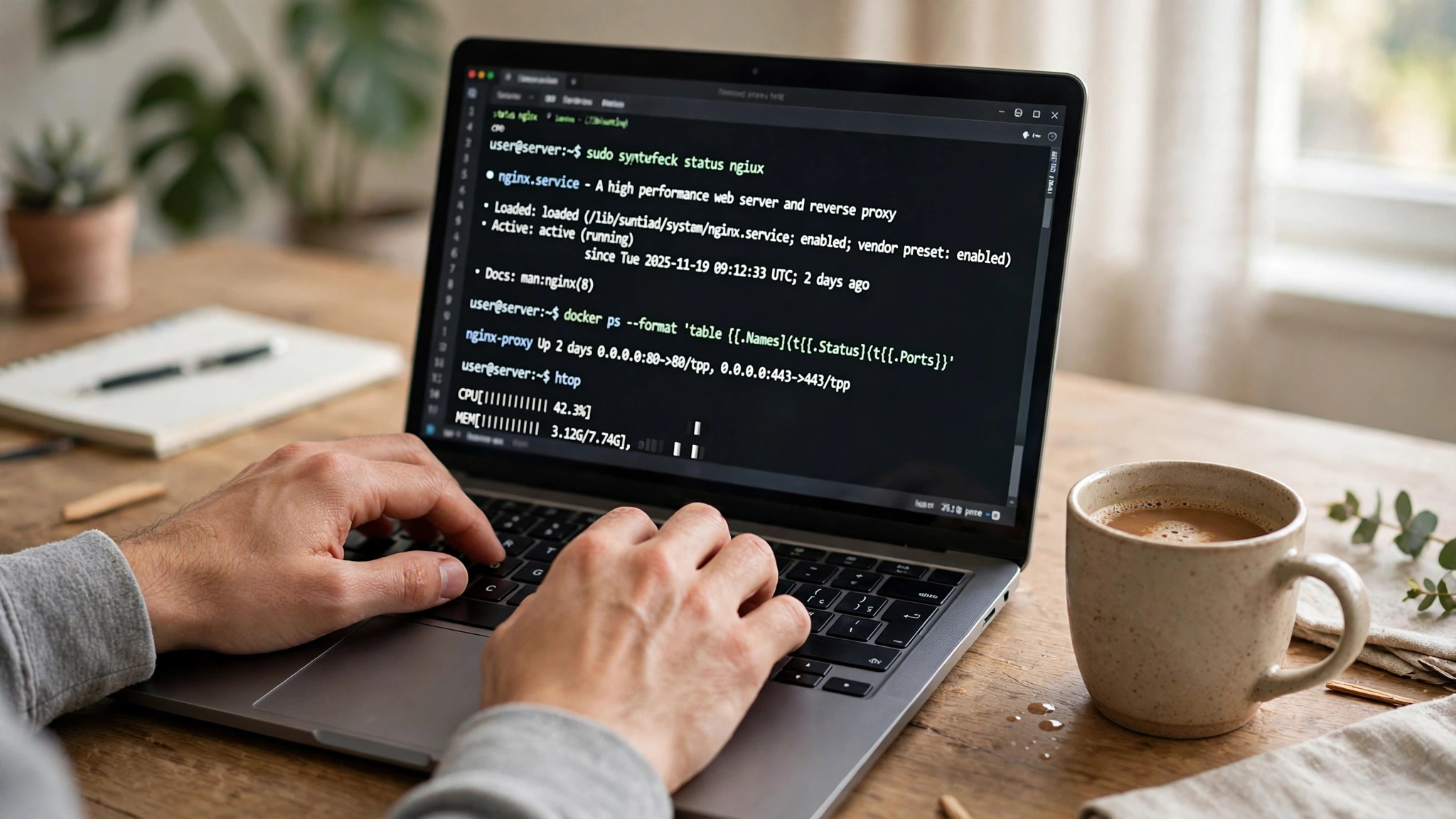
Before you change anything, find out what you are actually running. The version your command line reports and the version your web server uses are not always the same, so check both.
# What the command line sees
php -v

# What the web server sees (PHP-FPM pool version)
systemctl list-units --type=service | grep php

# Which PHP modules are loaded
php -m | grep -E "curl|mbstring|mysql|xml|zip|gd|intl"
php -v prints something like PHP 8.2.35. If it says 8.2.35 or lower, you are behind on the November batch. If it says 8.1 or lower, you are out of support entirely. If it says 8.2.36, 8.3.37, 8.4.28, or 8.5.13, the security fixes are already in — you only owe the version decision, not the patch.
For the web server side, check what your site actually serves. Create a temporary file called info.php in your site’s root with <?php phpinfo(); ?>, open it in a browser, note the version at the top, and then delete the file immediately — a live phpinfo() page hands attackers your configuration. WordPress users can skip this: Site Health under Tools in the admin area shows the PHP version, and it flags unsupported versions in red.
Write the version down. You will need it again in the verification step, and if anything goes wrong you will need to know what you came from to roll back.
Step 2: Back Up Before You Touch Anything
A PHP upgrade is a low-risk change, but “low-risk” is not “no-risk”, and the cost of a backup is ten minutes against the cost of rebuilding a site from nothing. Do all three of these before you install anything.
# 1. Back up your site files (adjust the path to your site)
tar -czf ~/site-backup-$(date +%F).tar.gz /var/www/html

# 2. Back up every database
mysqldump --all-databases > ~/db-backup-$(date +%F).sql

# 3. Back up the PHP configuration you are about to change
cp -r /etc/php ~/php-config-backup-$(date +%F)
On a cPanel server, use the backup tool in WHM or the Files section of cPanel instead — a full account backup covers the site, the databases, and the mail in one file, and it restores cleanly. On any server, confirm the backup actually exists and is not zero bytes before you continue. A backup you never verified is a hope, not a backup.
Also note which PHP extensions your site needs. The module list from Step 1 is your shopping list for the new version: if your site uses mbstring, curl, mysqlnd, xml, zip, gd, intl, or bcmath, you need the matching php8.6- packages for each one. A missing extension is the most common reason a site shows a white screen after a PHP upgrade, and it takes thirty seconds to prevent.
Step 3: Upgrade PHP 8.6 on a VPS Running Ubuntu or Debian

Ubuntu and Debian do not ship PHP 8.6 in their default repositories yet, so the standard route is Ondřej Surý’s PPA — the same repository most Ubuntu servers already use for PHP. It is maintained by a Debian PHP maintainer, it is the route the PHP project itself points people to, and it is how most production Ubuntu servers get new PHP versions.
# Add the PHP repository and update the package list
sudo add-apt-repository ppa:ondrej/php -y
sudo apt update

# Install PHP 8.6 and the extensions your site needs
sudo apt install -y php8.6 php8.6-fpm php8.6-mysql php8.6-curl \
    php8.6-xml php8.6-mbstring php8.6-zip php8.6-gd php8.6-intl \
    php8.6-bcmath php8.6-cli php8.6-opcache

# Point the command line at 8.6
sudo update-alternatives --set php /usr/bin/php8.6
php -v
Next, switch the web server. If you run PHP-FPM with NGINX or Apache, disable the old pool and enable the new one. If you run Apache with mod_php, switch the module instead — do not enable both at once.
# PHP-FPM (NGINX or Apache with FPM)
sudo a2disconf php8.2-fpm
sudo a2enconf php8.6-fpm
sudo systemctl restart php8.6-fpm apache2
# For NGINX: sudo systemctl restart php8.6-fpm nginx

# mod_php (Apache only — use this OR the FPM block above, not both)
sudo a2dismod php8.2
sudo a2enmod php8.6
sudo systemctl restart apache2
Keep the old PHP version installed for now. It costs almost no disk, and it is your rollback: if something breaks, you reverse the two commands above and you are back on the old version in under a minute. Remove the old packages only after a week of clean running, and only after you are sure nothing on the server still references them.
One Debian note: the ppa:ondrej/php repository supports Debian too, but the install instructions differ slightly — the Surý repository provides Debian packages through its own APT source rather than a PPA. If you run Debian, follow the repository’s Debian instructions on its site rather than the Ubuntu commands above.
Step 4: Upgrade on AlmaLinux or RHEL (Remi)
On RHEL-based systems — AlmaLinux, Rocky Linux, RHEL itself — the standard route is Remi Collet’s repository, which shipped PHP 8.6.0 within days of the release alongside the security batch for the older branches. Remi’s repo is the one most RHEL-based hosting stacks already use, and its module streams let you switch PHP versions without reinstalling the world.
# Enable the Remi repository (AlmaLinux / Rocky / RHEL 8+)
sudo dnf install -y https://rpms.remirepo.net/enterprise/remi-release-9.rpm
# On RHEL 8, use remi-release-8.rpm instead

# Switch the PHP module stream to 8.6
sudo dnf module reset php -y
sudo dnf module enable php:remi-8.6 -y

# Update PHP and its extensions to the 8.6 stream
sudo dnf update -y

# Confirm and restart the web stack
php -v
sudo systemctl restart php-fpm httpd
If your server runs cPanel on AlmaLinux, do not use Remi — cPanel manages its own PHP through EasyApache 4, and mixing the two will break things. The cPanel steps are next. And if your server runs a different panel that manages PHP itself (Plesk, DirectAdmin), use the panel’s PHP manager rather than the command line, for the same reason.
Step 5: Upgrade on cPanel / WHM
cPanel servers do not upgrade PHP from the command line — EasyApache 4 owns PHP, and fighting it is how you end up with a broken panel. The steps are all in WHM.
# Check what EasyApache 4 currently provides (read-only, safe to run)
ls /opt/cpanel/ea-php*/root/usr/bin/php 2>/dev/null
/opt/cpanel/ea-php85/root/usr/bin/php -v
In WHM, go to EasyApache 4, click Customize, open the PHP Versions tab, and look for ea-php86. EasyApache 4 adds new PHP versions as cPanel ships them, so if 8.6 is not listed yet, do not force it — install ea-php85 (8.5.13) today instead. It carries the same November security fixes, it is supported until the end of 2029, and you can switch to 8.6 when it appears in the list. Then, in WHM’s MultiPHP Manager, set the domain to the new version, and in MultiPHP INI Editor, check that the extensions your site needs are enabled for that version.
Two cPanel-specific warnings. First, cPanel’s PHP 8.2 support ends when upstream support ends — December 31, 2026 — and cPanel will remove the 8.2 packages in a later EasyApache update, so a domain left on 8.2 will eventually break, not just become insecure. Second, if your server still runs CloudLinux with HardenedPHP, the patched versions arrive through CloudLinux’s own channel, not EasyApache’s — check the CloudLinux PHP selector, not just WHM.
Step 6: Verify the Upgrade Actually Took
An upgrade is not done when the install finishes. It is done when the running server proves it is on the new version, with the right extensions, serving the site correctly. Run every check below.
# 1. The command-line version
php -v
# Expect: PHP 8.6.0 (or 8.5.13 / 8.4.28 / 8.3.37 / 8.2.36 if you patched in place)

# 2. The web server version (temporary file — delete it right after)
echo '<?php echo PHP_VERSION; ?>' > /var/www/html/version-check.php
curl -s https://yourdomain.com/version-check.php
rm /var/www/html/version-check.php

# 3. Every extension your site needs is loaded
php -m | grep -E "curl|mbstring|mysqlnd|xml|zip|gd|intl|bcmath"

# 4. No errors in the logs since the restart
sudo tail -50 /var/log/php8.6-fpm.log
sudo tail -50 /var/log/apache2/error.log
# For NGINX: sudo tail -50 /var/log/nginx/error.log

# 5. The site actually works — check the pages that matter, not just the homepage
curl -s -o /dev/null -w "%{http_code}\n" https://yourdomain.com/
curl -s -o /dev/null -w "%{http_code}\n" https://yourdomain.com/wp-admin/
Then check the application itself. Log in to WordPress and look at Site Health — it should show the new PHP version with no red warnings. Click through the pages that do real work: the contact form, the checkout, the search, the login. Submit something. The pages that break after a PHP upgrade are rarely the homepage; they are the forms and the dynamic pages, and they break silently, returning a white screen or a 500 error that nobody notices until a customer reports it.
If something is broken, roll back before you debug. Reverse the switch from Step 3 or 4 — re-enable the old FPM pool or the old Apache module, restart, and confirm the site works again. Then read the error log to find the cause: a missing extension, a deprecated function, or a plugin that does not support the new version. Fix it on a staging copy, not on the live server, and try the upgrade again. A rollback is not a failure. It is the reason the upgrade was safe to attempt.
FAQ
Do I have to move to PHP 8.6, or is patching my current version enough?
Patching is enough — for now. The security releases 8.2.36, 8.3.37, 8.4.28, and 8.5.13 contain the same fixes as 8.6.0, and installing the patched version for your branch closes all 17 CVEs. The only branch where patching is not enough is 8.2, and only because of the calendar: 8.2.36 is its last release ever, so patching buys you five weeks, not a future. Move to 8.4 or 8.5 if you want the safe option, or to 8.6 if your apps are ready.
Is PHP 8.6 faster than 8.5?
Marginally, in benchmarks, and not in a way you will notice on a normal website. PHP’s performance gains have been small since the big jump in PHP 8.0. Do not upgrade for speed. Upgrade for the support window and the security fixes.
Will my WordPress site work on PHP 8.6?
WordPress core moves quickly, but your plugins and theme decide the answer. Test on a staging copy first, and check the plugin list for anything not updated in the last year. If you are unsure, move to 8.5.13 this week — it is supported until the end of 2029 — and move to 8.6 after your plugins confirm support. WordPress 7.2, due December 8, 2026, is a separate update: do PHP first, verify, and then do WordPress.
What is the single most dangerous flaw in this batch?
CVE-2026-129289, the PHP-FPM request smuggling flaw, is the one to worry about most, because it needs no login and it targets a configuration many performance-tuned servers already use — a front end that reuses FastCGI connections. CVE-2026-115560, the session serializer flaw, is close behind, and it was already public knowledge since October 23. Both are fixed by the same update.
I run PHP 8.1. Am I affected?
You are worse than affected — you are unprotected. PHP 8.1 reached end of life in 2025 and received none of the November fixes, not even the critical ones. There is no patched 8.1 release. Move to 8.4 or 8.5 as soon as you can, and treat it as urgent rather than routine.
Does disabling HTTP/2 or the session upload progress feature fix this?
No. Disabling session upload progress (session.upload_progress.enabled = 0) is a real mitigation for CVE-2026-115560 only, and the November release turns it off by default anyway. It does nothing for the PHP-FPM smuggling flaw, the phpAfterShell session flaw, or the other four criticals. Mitigations buy time. The update is the fix.
How do I know my host has patched PHP?
On managed or shared hosting, check the PHP version in your control panel — cPanel shows it in MultiPHP Manager, Plesk in the PHP settings for the domain — and compare it against the fixed versions: 8.2.36, 8.3.37, 8.4.28, 8.5.13, or 8.6.0. If the version is lower, open a support ticket and ask when the November 19 security release will be installed. On an unmanaged VPS, you patch it yourself — that is what this guide is for.
The Bottom Line
November 19 gave VPS owners two things at once: a new PHP version with the longest support runway available, and a security batch that fixes seven critical flaws, several of them remote code execution, across every PHP branch still supported. The security batch is the urgent part — install 8.2.36, 8.3.37, 8.4.28, or 8.5.13 today, whichever matches your branch, and restart every PHP worker. The version decision is the important part — if you are on PHP 8.2 or older, you have until December 31, 2026 before your PHP stops getting security fixes at all, and the safe move is to 8.4 or 8.5 now, with 8.6 after your applications confirm support.
Check your version, back up, install the update, verify the new version is actually serving traffic, and keep the old PHP installed for a week in case you need to roll back. Then check the rest of the stack on the same server, because November has been a bad month for unpatched infrastructure across the board — if you patched PHP2Shell in October, you already know the drill, and if you run NGINX or Apache alongside PHP, both had their own critical flaws this month too. Our NGINX2Root patch guide and our Apache CVE-2026-119618 guide cover those, and our VPS hardening checklist covers the rest.
For the authoritative details, see PHP’s supported versions page, which lists every branch, its support dates, and the December 31, 2026 end of life for PHP 8.2.