

AI video generation has exploded in 2026. Tools like Stable Video Diffusion, AnimateDiff, and Wan 2.1 let anyone turn text prompts into video clips — but these models are hungry. If you are searching for the best VPS for AI video generation, you have probably noticed that most cheap servers crawl when you try to render video.
The short answer: for serious AI video work, a GPU VPS wins by a mile. But it is not that simple — regular VPS plans are cheaper, easier to manage, and plenty for some use cases.
In this guide, we compare GPU VPS vs regular VPS across performance, cost, and real-world use cases, so you can pick the right server for your AI video projects.
Table of Contents
What Is a Regular VPS?
A regular VPS (Virtual Private Server) gives you a dedicated slice of a physical server’s CPU, RAM, and storage. It runs on general-purpose processors (like AMD EPYC or Intel Xeon) that are great at handling many small tasks at once — web hosting, databases, VPNs, email servers, and remote desktops. It does not have a dedicated graphics processor (GPU).
For normal server workloads, CPU power is plenty. But AI video generation is a very different kind of job: instead of many small tasks, it needs one giant mathematical calculation repeated thousands of times per frame. A CPU can do this math, but slowly — painfully slowly.
On a regular VPS, a short AI video clip can take hours to generate. That is why most people looking for the best vps for ai video generation quickly hit a wall with standard CPU-only servers.
What Is a GPU VPS?
A GPU VPS is a virtual server that comes with a dedicated graphics processing unit — the same kind of parallel-compute chip found in gaming cards and NVIDIA data center GPUs. GPUs have thousands of small cores designed to do parallel math, which is exactly what AI video models (like Stable Video Diffusion, AnimateDiff, and Wan) need.
The result: the same video clip that takes 3 hours on a CPU can render in 5–10 minutes on a decent GPU. It is not a small upgrade — it is a completely different experience. If you are serious about generating AI videos regularly, a GPU VPS is the only realistic option.
If you are new to the VPS world in general, read our guide on what is VPS hosting first, and our comparison of VPS vs shared hosting vs dedicated servers to understand where GPU servers fit.
GPU VPS vs Regular VPS: Head-to-Head Comparison
| Feature | Regular VPS | GPU VPS |
|---|---|---|
| Processor | CPU only (shared or dedicated cores) | CPU + dedicated GPU |
| AI video speed | Very slow (hours per clip) | Fast (minutes per clip) |
| Typical price | $4–$40/month | $30–$400+/month |
| Best for | Websites, VPN, remote desktop, bots | AI video, AI image, model training |
| VRAM (video memory) | None (uses system RAM) | 8–80 GB dedicated VRAM |
| Ease of setup | Simple, beginner friendly | Needs GPU drivers + CUDA setup |
GPU vs CPU Rendering: The Real Performance Difference
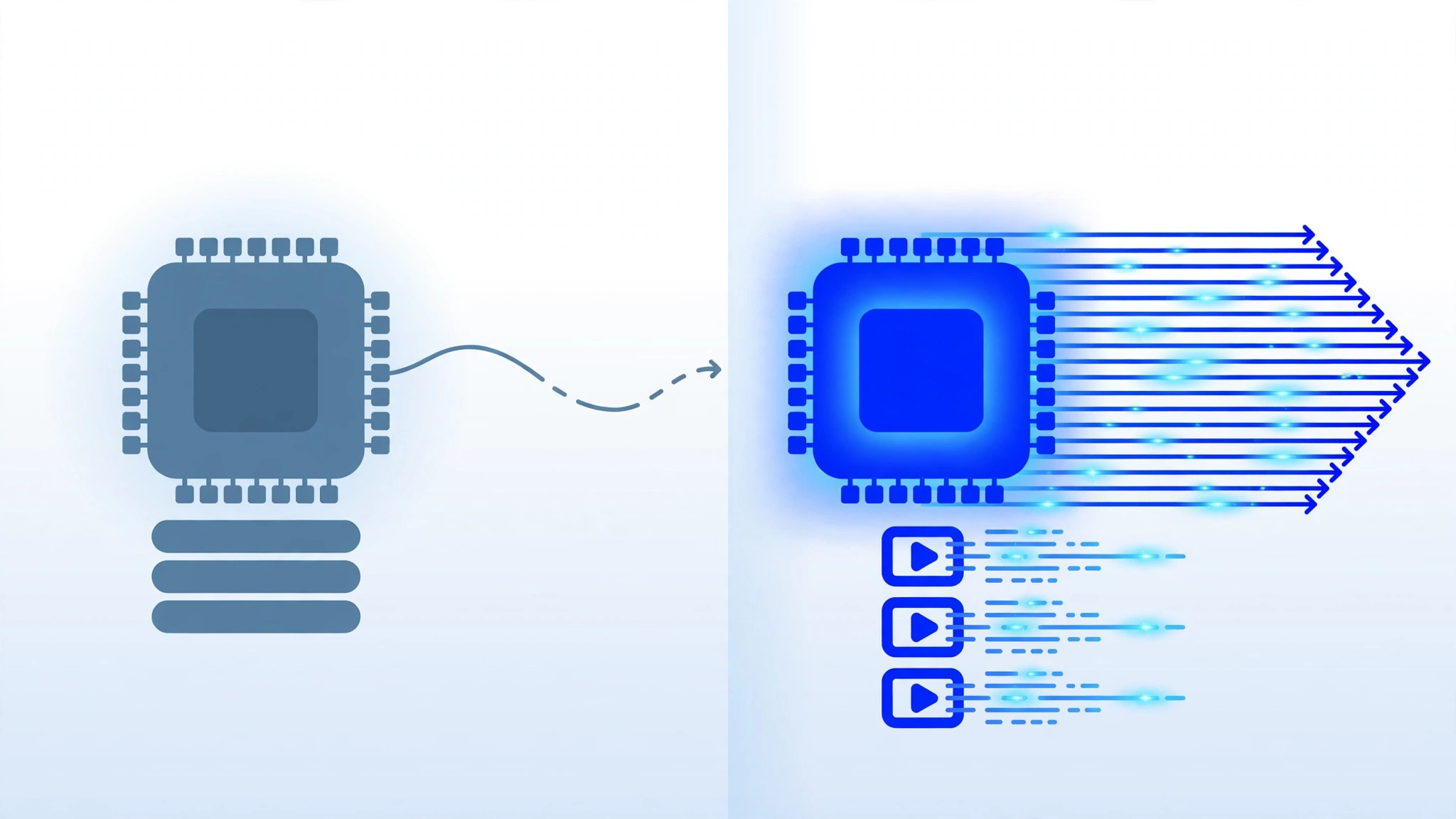
Let us put real numbers on it. Generating a 4-second 720p video clip with a typical open-source model:
- Regular VPS (8 CPU cores): 2–4 hours per clip. Your server is maxed out the whole time.
- GPU VPS (RTX 3090, 24 GB VRAM): 4–8 minutes per clip. The server idles most of the time.
- GPU VPS (RTX 4090, 24 GB VRAM): 2–4 minutes per clip.
That is roughly a 30–60x speed difference. On a CPU server, you will spend your whole day waiting. On a GPU server, you can iterate, experiment, and produce real volume. For context on pricing tiers, see our breakdown of how much VPS hosting costs.
Cost Comparison: What You Will Actually Pay
GPU servers cost more — there is no way around it. Here is what the market looks like in 2026:
- Budget CPU VPS (4 vCPU, 8 GB RAM): $6–$12/month — fine for websites, useless for AI video.
- Entry GPU VPS (RTX 3060 12 GB or A4000): $30–$80/month — good for learning and small projects.
- Mid-range GPU VPS (RTX 3090 / 4090, 24 GB VRAM): $100–$250/month — the sweet spot for regular AI video work.
- Pro GPU VPS (A100 / H100, 40–80 GB VRAM): $300+/month — for teams and heavy production.
If budget is tight, check our guide on getting the cheapest VPS without sacrificing performance — many of the same shopping tips apply to GPU servers.
When a Regular VPS Is Enough
Not everyone needs a GPU. A regular VPS is perfectly fine if you:
- Only generate videos occasionally using cloud APIs (Runway, Pika, Luma) — the heavy lifting happens on their servers, not yours.
- Run a website, blog, VPN, or trading bot — the classic VPS use cases.
- Want to learn Linux server administration before investing in expensive GPU hardware.
- Need a Windows RDP server for office work, browsing, or light tasks.
In short: if you are paying someone else per video through an API, you do not need a GPU at all. A regular VPS to host your scripts and automation is enough.
When You Need a GPU VPS
You need a GPU VPS if you:
- Run open-source video models locally (Stable Video Diffusion, AnimateDiff, CogVideoX, Wan).
- Generate videos in volume — dozens or hundreds of clips per week.
- Want full control: custom models, LoRAs, fine-tuning, and no per-clip fees.
- Also do AI image generation, voice cloning, or model training on the same server.
If you also run AI agents or automation on your server, you may like our guide on the best VPS for AI agents — the hardware thinking is very similar.
How to Choose the Right GPU (VRAM Matters Most)

For AI video generation, VRAM is the single most important spec — more important than the GPU’s name. Video models load entire frames into GPU memory, and if the model does not fit, it simply will not run.
- 12 GB VRAM: minimum for 512p–720p short clips with optimized models.
- 16 GB VRAM: comfortable for 720p, some 1080p work.
- 24 GB VRAM: the recommended sweet spot — handles most models at 720p–1080p.
- 40–80 GB VRAM: professional tier for long clips and high resolution.
Do not pay for an expensive GPU with too little VRAM — a cheaper card with more memory often beats a faster card with less memory for video work.
Setting Up Your AI Video Generation VPS (Overview)
- Pick your GPU tier based on the VRAM guidance above and your monthly budget.
- Choose Ubuntu 22.04 LTS — it has the best driver and CUDA support.
- Install NVIDIA drivers + CUDA toolkit — most GPU VPS providers offer one-click templates with drivers pre-installed.
- Install your stack — ComfyUI or Automatic1111 with video extensions, or a dedicated video pipeline like AnimateDiff.
- Secure the server — change default passwords, set up SSH keys, and enable a firewall. Our VPS security guide walks through the essentials.
Frequently Asked Questions
Can I generate AI videos on a regular VPS?
Technically yes, but practically no. A CPU-only VPS takes hours per short clip, making it useless for real work. Use cloud APIs instead, or get a GPU VPS.
How much VRAM do I need for AI video generation?
12 GB is the realistic minimum, 24 GB is the recommended sweet spot for 720p–1080p clips. More VRAM lets you run bigger models and higher resolutions.
Is a GPU VPS worth it for beginners?
If you are just experimenting, start with an entry-level GPU VPS ($30–$80/month) for a month. If you only need a few videos, a pay-per-use cloud API is cheaper than any server.
Can one GPU VPS handle both AI video and other tasks?
Yes — when you are not generating video, the same server works as a normal VPS for websites, bots, or remote desktop. The GPU simply sits idle until needed.
Final Verdict: The Best VPS for AI Video Generation
If your goal is genuinely producing AI videos with open-source models, there is no real contest: get a GPU VPS with at least 24 GB of VRAM. A regular VPS cannot do the job — it is not a matter of patience, it is a matter of feasibility.
But be honest about your usage. If you generate a handful of clips per month through cloud APIs, a $6 regular VPS plus the API fees will cost you far less than a $150 GPU server gathering dust. Match the hardware to the workload, not to the hype.
That is the real answer to the best vps for ai video generation question: GPU power for serious creators, regular VPS for everyone else.