
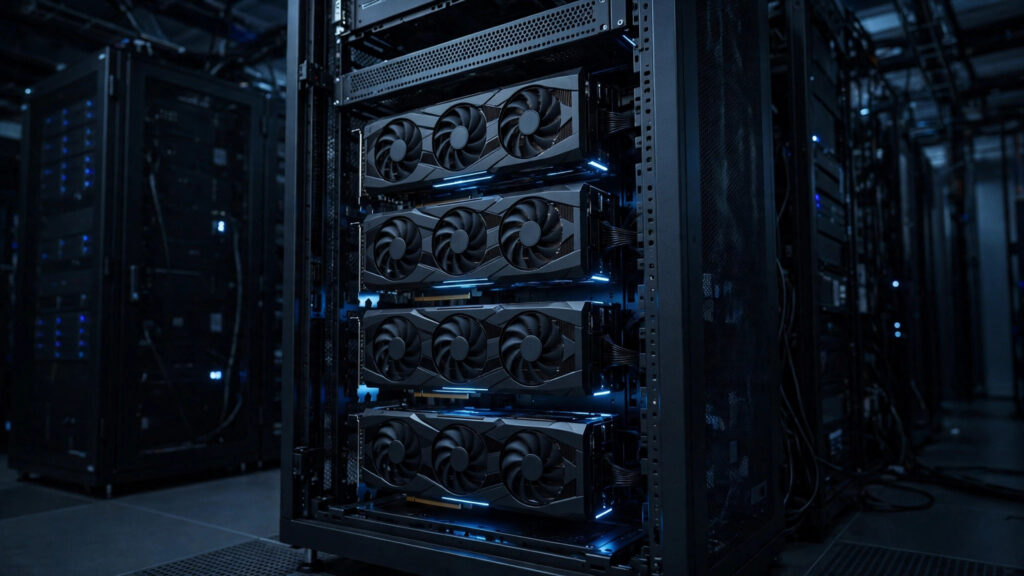
Hetzner has spent years being the budget option — the host you picked when you wanted a lot of server for very little money. On 4 November 2026, it stepped into a very different price bracket. The Hetzner GPU server GEX430 is the company’s first multi-GPU machine: four Nvidia RTX PRO 6000 Blackwell cards, 384 GB of graphics memory, and a price tag of €3,599 a month before tax. That is roughly ten times what Hetzner’s cheapest GPU box costs, and it puts the company in the same conversation as the big GPU clouds — at a fraction of their price.
So is the GEX430 a genuinely good deal, or just an expensive box with a famous name on it? In this guide we will go through the full specs, work out what €3,599 a month actually buys you, check what fits in 384 GB of VRAM, flag the catches nobody mentions in the launch coverage, and compare it against Hetzner’s own cheaper GPU servers, hourly GPU clouds, and the big clouds — so you can tell in five minutes whether this box is for you, or whether a €214-a-month box (or an hourly rental) would do the same job.
What Is the Hetzner GEX430?
The GEX430 is a dedicated server — a whole physical machine rented by the month, nobody else on it, full root access — with four GPUs bolted in. It is the top model of Hetzner’s GEX line, the company’s GPU server range, and the first Hetzner machine to carry more than one GPU. Hetzner announced it on 4 November 2026, pitching it at businesses and professional users running AI workloads: training, inference, fine-tuning, rendering and simulation.
The headline number is the memory. Each of the four Nvidia RTX PRO 6000 Blackwell Max-Q cards carries 96 GB of GDDR7 ECC VRAM, which adds up to 384 GB across the box. That matters because VRAM is the hard limit on AI work: a model either fits in graphics memory or it doesn’t, and no amount of system RAM or fast storage changes that. A single 96 GB card already fits most open-weight models; four of them together can serve the very large ones — the 200B+ class — that normally need a cloud GPU cluster.
Hetzner pitches the box at open-weight models such as Mistral, Qwen and GLM, hosted inside the European Union. That last part is doing quiet work: a lot of European teams want their models and their data on EU soil, and Hetzner is one of the few budget hosts that can offer a four-GPU box from a Helsinki data centre at this price. The GEX430 lives in Helsinki (HEL1) only — there is no German or US option for this model.
One thing to get straight before we go further: this is not a VPS. You cannot spin one up for an hour, run a test, and delete it the way you would a cloud GPU instance — well, almost. Hetzner bills its GEX line hourly and caps the bill at the monthly price, so a short test is possible, but the minimum commitment in practice is a month of rent plus a setup fee equal to a month of rent. Keep that in mind when the €3,599 figure starts looking reasonable.
Hetzner GEX430 Full Specs
Here is everything Hetzner lists for the box, in one place. Prices are as listed on Hetzner’s product page, checked 14 November 2026, and exclude VAT.
| Component | GEX430 specification |
|---|---|
| GPUs | 4× NVIDIA RTX PRO 6000 Blackwell Max-Q, 96 GB GDDR7 ECC VRAM each (384 GB total) |
| AI compute | 4× 3,511 AI TOPS; 5th-gen Tensor Cores, 4th-gen RT Cores, FP4 support |
| GPU interconnect | Each GPU on its own PCIe 4.0 x16 lane, direct to the motherboard |
| CPU | Intel Xeon Gold 5412U — 24 cores, 48 threads, 2.1 GHz |
| System RAM | 128 GB DDR5 ECC registered |
| Storage | 2× 1.92 TB Datacenter Edition Gen4 NVMe SSDs |
| Network | 1 Gbit/s connection, unlimited traffic; IPv4 address included |
| Power draw | 173 W idle, 1,520 W maximum |
| Location | Helsinki, Finland (HEL1) only |
| Operating systems | Debian and Ubuntu (64-bit) |
| Price | €3,599/month + €3,599 one-off setup fee (US: $4,199/month + $4,199 setup) |
A few of those lines deserve a closer look. The 3,511 AI TOPS figure is per card, so the box advertises roughly 14,000 AI TOPS in total — a big number, but TOPS figures are measured at FP4 precision, the lowest precision the card supports, so treat them as a ceiling rather than everyday performance. The PCIe 4.0 x16 connection per card is good for inference serving, but it is not NVLink: GPU-to-GPU traffic goes through the motherboard rather than a dedicated high-speed link, which matters for training (more on that below). And the 1,520 W maximum power draw is a reminder that this is a data-centre machine — you are not putting it under your desk.
What €3,599 a Month Really Costs
€3,599 a month sounds like a lot until you divide it up. It also sounds like a bargain until you add everything else. Both reactions are partly right, so here is the honest arithmetic.
| What you pay | Amount (excl. VAT) |
|---|---|
| Monthly rent | €3,599 |
| One-off setup fee | €3,599 |
| Per day (30-day month) | ~€120 |
| Per hour (24/7) | ~€5 |
| Per GPU per month | ~€900 |
| First year total (12 months + setup) | €46,787 |
| US price | $4,199/month + $4,199 setup |
The setup fee is the part people miss. It equals a full month of rent, so your first invoice is €7,198 before VAT — and VAT is extra on top of all of it. In the EU that typically means adding 20–25% depending on your country, unless you are a VAT-registered business using reverse charge. The first-year total of €46,787 excludes VAT entirely, so budget for the tax line before you order.
The per-hour figure is the useful one for comparisons: about €5 an hour if the box runs around the clock. If it only runs 8 hours a day, your effective cost is €15 an hour — which is why this box only makes sense for workloads that run most of the time. A server that sits idle at the weekend is burning €120 a day for nothing. Hetzner does bill the GEX line hourly with the bill capped at the monthly price, so a short test run costs a few euros an hour rather than a full month — but once you keep it past roughly 720 hours in a month, you are paying the full €3,599 anyway.
For scale, that €5-an-hour figure is roughly what four mid-range cloud GPUs cost per hour on an hourly rental platform — except here you get four 96 GB Blackwell cards, not four 24 GB cards. That is the core of the GEX430’s value proposition, and it is real. Whether it is a good deal for you depends entirely on how many hours a month your GPUs actually work.

What Can You Actually Run on 384 GB of VRAM?
VRAM decides which models fit. The rough rule of thumb is 2 bytes per parameter at FP16 precision, 1 byte at FP8, and half a byte at FP4 — plus some overhead for the framework and the context window. These are approximations, not guarantees, but they are close enough to plan with:
| Model size | Memory needed (rough) | Fits on the GEX430? |
|---|---|---|
| 7B–8B (e.g. Llama 3.1 8B) | ~16 GB at FP16 | Yes — one GPU, with room to spare |
| 32B (e.g. Qwen3 32B) | ~64 GB at FP16 | Yes — one GPU |
| 70B (e.g. Llama 3.1 70B) | ~70 GB at FP8, ~140 GB at FP16 | Yes — one GPU at FP8, two at FP16 |
| 235B MoE (e.g. Qwen3 235B) | ~120 GB at FP4, ~235 GB at FP8 | Yes — two to three GPUs |
| 405B (e.g. Llama 3.1 405B) | ~200 GB at FP4 | Yes — three to four GPUs at FP4 |
The practical upshot: a single GEX430 can serve anything in the open-weight catalogue today, including the biggest dense models, as long as you are willing to run the largest ones at FP4 precision. With four 96 GB cards and tensor parallelism across them, you can serve a 405B-class model to many users at once — that is the workload Hetzner is picturing when it talks about chatbots and internal knowledge assistants.
But here is the honest caveat: if your workload is a 7B or 8B model serving a handful of users, this box is absurd overkill. A single 8B model uses about 16 GB of VRAM. You would be paying for 384 GB and using 16. The GEX430 earns its keep only when you are serving large models, serving many users at once, or fine-tuning — work that actually fills four big cards. For everything smaller, a single-GPU box (or even a CPU VPS for running AI models) is the sane choice.
One more thing the spec sheet does not spell out: the 128 GB of system RAM is only a third of the GPU memory. For inference serving that is fine — models live on the GPUs, not in system RAM. But if you are fine-tuning, your datasets, dataloaders and optimizer states all want system RAM too, and 128 GB can become the bottleneck before the GPUs do. Check your training pipeline’s memory needs before assuming the GPUs are the only limit.
5 Catches to Know Before You Order
The launch coverage is enthusiastic, and most of it is fair — but five details keep getting skipped, and each of them could change your decision.
1. The setup fee equals a month of rent. €3,599 upfront, before VAT, before you have run a single inference. If you cancel after a month, you have paid €7,198 for 30 days of use. Hetzner’s hourly billing softens this for short tests, but there is no way to try the full box for a weekend without the setup fee being part of the conversation.
2. Helsinki only. The GEX430 is available in Hetzner’s Helsinki (HEL1) data centre and nowhere else. If your users are in the US or Asia, every request crosses an ocean. For a chatbot that is a few dozen extra milliseconds; for latency-sensitive real-time work it can matter. There is no German or US option for this model, unlike some of Hetzner’s smaller GPU boxes.
3. PCIe, not NVLink. Each GPU gets its own PCIe 4.0 x16 lane to the CPU, which is fine for inference — each card mostly works on its own slice of the job. But the cards do not talk to each other over NVLink, the high-speed interconnect Nvidia’s data-centre cards use. For large training runs where GPUs constantly exchange gradients, PCIe is noticeably slower. This box is built for serving models, not training them at scale.
4. Linux only — Debian or Ubuntu. Hetzner lists Debian and Ubuntu as the operating systems for the GEX430. If your stack assumes Windows Server, this is not your box. That is normal for GPU AI work — the tooling lives on Linux — but it is worth stating plainly, because Hetzner’s regular dedicated servers do offer Windows.
5. VAT, power and the fine print. All prices exclude VAT, the traffic is unlimited on the 1 Gbit/s port (the 10G uplink addon has different terms), and the box draws up to 1,520 W under load. None of these is a deal-breaker on its own. Together they are a reminder to read the product page rather than the headline price.
GEX430 vs the Rest of Hetzner’s GPU Line
Hetzner did not launch the GEX430 in isolation — it sits at the top of a four-model GPU range, and for most buyers one of the cheaper models is the right answer. Here is the whole line, with prices checked 14 November 2026, excluding VAT:
| Model | GPU / VRAM | CPU / RAM | Monthly price | Setup fee |
|---|---|---|---|---|
| GEX45 | RTX PRO 4000 Blackwell, 24 GB | Core i5-13500 / 64 GB | €214 | €209 |
| GEX63 | RTX PRO 6000 Blackwell, 96 GB | — / 128 GB | €999 | €999 |
| GEX131 | RTX PRO 6000 Blackwell, 96 GB | Xeon Gold / 256 GB | from €1,499 | — |
| GEX430 | 4× RTX PRO 6000 Blackwell, 384 GB | Xeon Gold 5412U / 128 GB | €3,599 | €3,599 |
The comparison that matters most is GEX430 versus GEX63. One 96 GB card for €999 a month, or four of them for €3,599 — the four-pack costs 3.6× as much for 4× the VRAM, so there is no bulk discount, just more capacity. If a single 96 GB card fits your model (and it fits anything up to roughly a 70B model at FP8), the GEX63 gives you the same card for less than a third of the money. The GEX430 only wins when one card genuinely is not enough.
And then there is the GEX45 at €214 a month — Hetzner’s cheapest dedicated GPU server for AI video generation and small-model work. A 24 GB card handles 7B–13B models, image generation, and most single-user chatbot setups with room to spare. It is roughly one-seventeenth of the GEX430’s price. If you are reading this guide because you want to run a model for yourself or a small team, start here and only move up when you can point at a specific model that does not fit.
The GEX131, from €1,499, is the odd one out: a single 96 GB card like the GEX63 but with a Xeon CPU and 256 GB of system RAM. That extra system memory is exactly what fine-tuning workloads want — which tells you something about how Hetzner sees the line: GEX45 for small jobs, GEX63 for big single-model serving, GEX131 for fine-tuning, GEX430 for serving the very largest models to many users.
GEX430 vs Hourly GPU Clouds
The other way to get GPU power is to rent it by the hour — RunPod, Vultr, DigitalOcean GPU Droplets and similar. No setup fee, no monthly commitment, and you pay only for the hours the GPU actually runs. The trade-off is the hourly rate, which is much higher than the GEX430’s effective ~€5 an hour.
| Option | What you get | Indicative price | Best when |
|---|---|---|---|
| Hetzner GEX430 | 4× 96 GB RTX PRO 6000, dedicated | ~€5/hr effective (24/7) | GPUs run most of the month |
| Vultr Cloud GPU | Hourly cloud GPUs (e.g. 8× L40S listed at $13.37/hr) | ~$13.37/hr for 8× L40S | Bursty or experimental work |
| DigitalOcean GPU Droplets | Hourly GPU droplets | Varies by GPU | You already live on DigitalOcean |
| Budget dedicated GPU | Older cards (e.g. RTX 3060 Ti, A4000) from ~$37–$140/mo | $37–$1,170/mo | Small models, tight budget |
The break-even rule of thumb is simple: if your GPUs run less than about 10 hours a day, hourly rental is usually cheaper. Past that — steady, always-on serving — the flat monthly rate wins, and it wins by a lot. At 24/7 usage, four hourly L40S-class GPUs would cost several times the GEX430’s monthly rent for less VRAM per card.
But hourly has one advantage no monthly box can match: you can stop. A fine-tuning experiment that takes three days costs three days of hourly rental and then nothing. On a GEX430, the same experiment costs a month of rent plus the setup fee. So the honest decision rule is: hourly for experiments and bursts, monthly dedicated for production serving that never sleeps. Many teams end up using both — hourly clouds for testing, a dedicated box for the thing that serves real users.
If your budget is closer to a hundred dollars than a few thousand euros, the bottom row of that table is worth a look: some smaller hosts still rent older dedicated GPU servers from around $37 a month (an old Quadro P1000 with 4 GB) up to about $1,170 for an H100 with 80 GB, though those headline prices usually assume long billing terms and Black Friday-style promotions. A used RTX 3060 Ti box at ~$120 a month will run a 7B model and an image generator perfectly well. It will not run a 405B model — but then, neither will most people’s budgets.

GEX430 vs Big-Cloud GPU (AWS, Google Cloud)
The big clouds sell the same idea at enterprise prices. A reserved 4× A100 SXM node on a public cloud is commonly reported at $8,000–$14,000 a month — two to four times the GEX430’s price, for older cards with less total VRAM (320 GB across four 80 GB A100s, versus 384 GB here). The big clouds win on everything except price: global regions, managed Kubernetes, compliance certifications, support contracts, and the ability to scale to hundreds of GPUs. The GEX430 wins on price alone — and for a small team serving one big model, price is often the deciding factor.
Google’s newest entry shows where the top end is heading. Google Cloud made its A5X instances generally available on 6 November 2026, packing four Nvidia Vera Rubin GPUs with 288 GB of HBM4 memory each — 1,152 GB per machine. But general availability does not mean you can rent one: access requires contacting Google to arrange a future capacity reservation, there is no on-demand or spot pricing, and Windows images are not supported. It is a machine for companies with a Google account team, not a self-serve purchase. The GEX430, by contrast, is a box you can order from a web page today.
That contrast is the whole story of this market in late 2026. The frontier hardware lives behind sales calls and reservations; the self-serve hardware is a generation behind but a fraction of the price. The GEX430 sits in the sweet spot between the two: current-generation Blackwell cards, buyable online, at roughly a third of big-cloud prices for equivalent capacity. It is not the fastest GPU setup money can buy. It is the fastest one you can order without talking to a salesperson.
Who Should Rent a GEX430 — and Who Shouldn’t
Rent one if:
- You serve a large open-weight model (70B and up) to real users, 24/7 — a customer-facing chatbot, an internal knowledge assistant, a coding assistant for a team. This is the workload the box was built for.
- You run several models at once and want them all resident in VRAM, so there is no loading delay when a user switches models. Four cards give you room to keep a chat model, an embedding model and a reranker loaded simultaneously.
- You fine-tune large models regularly and your pipeline is already Linux-based. The 128 GB of system RAM is the limit to watch, but the GPU side is generous.
- You need EU hosting for data-residency reasons and you do not want to pay big-cloud prices for it.
Don’t rent one if:
- You run a 7B or 8B model for yourself or a small team. A chatbot on a VPS or a GEX45 at €214 a month does the same job for a fraction of the money.
- Your workload is bursty or experimental. Hourly GPU rental costs less when the GPUs sit idle half the month — and there is no €3,599 setup fee.
- You need Windows Server. The GEX430 is Debian/Ubuntu only.
- You need GPUs in the US or Asia for latency reasons. Helsinki is the only location.
- You are training a model that needs fast GPU-to-GPU communication. PCIe 4.0 x16 is not NVLink, and a training cluster will feel the difference.
- You are running AI agents that mostly call hosted APIs. Agents like that need a reliable CPU VPS with the right amount of power, not four GPUs — the model runs on someone else’s hardware.
If you are unsure which group you are in, the test is simple: name the model and the number of simultaneous users. If you cannot name a model that needs more than 96 GB of VRAM, you do not need this box — a single-GPU server will do, and the Hetzner vs Contabo vs DigitalOcean comparison will help you pick the host.
From Order to First Inference
Ordering is the easy part — the GEX430 is listed on Hetzner’s site with stock shown, and setup is the standard dedicated-server flow. The work starts after the box is handed over. Here is the short version of getting from a bare server to a model answering questions.
Step 1 — Confirm the hardware. Once you have SSH access, check that all four cards are visible and healthy before you install anything else:
nvidia-smi --query-gpu=index,name,memory.total,driver_version --format=csv
# Expect 4 rows, each "NVIDIA RTX PRO 6000 Blackwell Max-Q", 97871 MiB
If you see fewer than four cards, or a card showing the wrong memory size, stop and open a support ticket. Sorting that out is Hetzner’s job, not yours, and it is much easier before you have built anything on top.
Step 2 — Install the driver and container toolkit. On Ubuntu 24.04, the standard path is the Nvidia driver plus the container toolkit, so your inference server can see the GPUs from inside Docker. Reboot after the driver install and re-run nvidia-smi to confirm the driver survived the reboot.
Step 3 — Serve a model with vLLM. vLLM is the usual choice for serving open-weight models on multi-GPU boxes, because it handles tensor parallelism across the cards for you. This example serves a 32B model spread across all four GPUs:
docker run --gpus all -p 8000:8000 \
  vllm/vllm-openai:latest \
  --model Qwen/Qwen3-32B \
  --tensor-parallel-size 4 \
  --max-model-len 32768
Step 4 — Test it. A plain HTTP call to the OpenAI-compatible endpoint tells you whether the whole chain works:
curl http://localhost:8000/v1/completions \
  -H "Content-Type: application/json" \
  -d '{"model": "Qwen/Qwen3-32B", "prompt": "The capital of Finland is", "max_tokens": 20}'
If that returns text, your €3,599-a-month box is earning its keep. From here the usual production steps apply — put it behind HTTPS with a reverse proxy, add authentication, set up monitoring for GPU temperature and memory, and arrange backups for your model weights and configs. Our new VPS setup checklist covers the hardening steps, and most of them apply to a dedicated GPU box too. One difference: back up your weights to object storage, not to the box itself — the two 1.92 TB NVMe drives are fast, but they are also the only copy of anything you download onto them.
FAQ
Is the Hetzner GEX430 good value for money?
For always-on serving of large models, yes — roughly €5 an hour for four 96 GB Blackwell cards is far below big-cloud prices for equivalent capacity. For anything part-time, experimental or small-model, no — the setup fee and the monthly commitment make hourly rental or a cheaper single-GPU box better value.
Can the GEX430 run Llama 3.1 405B?
Roughly, yes, at FP4 precision — a 405B model needs around 200 GB of weights at FP4, which fits across the four cards with tensor parallelism, leaving headroom for the context window. At FP8 it would need about 405 GB, which is more than the 384 GB available, so FP4 (or a smaller context) is the realistic way to run it.
Does Hetzner charge for traffic on the GEX430?
No — traffic is unlimited and free on the standard 1 Gbit/s connection. That is a genuine advantage over clouds that meter egress, especially if your model serves a lot of users. Check the product page if you add the 10G uplink option, which has different terms.
Can I rent a GEX430 by the hour?
Hetzner bills its GEX line hourly with the total capped at the monthly price, so short test runs cost a few euros an hour. But the setup fee still applies, so a one-weekend test is not as cheap as it sounds — the setup fee is where the real commitment sits.
What is the cheapest Hetzner GPU server?
The GEX45, at €214 a month plus a €209 setup fee, with a single 24 GB RTX PRO 4000 Blackwell card. It handles 7B–13B models, image generation and small-team chatbots. If your model fits in 24 GB, it is the box to buy first.
Is the GEX430 better than renting GPUs on RunPod or Vultr?
It depends on utilisation. If your GPUs run more than about 10 hours a day, the GEX430’s flat monthly rate is usually cheaper. Below that, hourly rental wins — and hourly has no setup fee and no commitment. Many teams use both: hourly for experiments, a dedicated box for production.
The Bottom Line
The Hetzner GEX430 is the most interesting dedicated GPU server Hetzner has ever sold — not because it is the fastest box on the market, but because it is the fastest box you can order from a web page without a sales call, at roughly a third of big-cloud prices. Four 96 GB Blackwell cards, 384 GB of VRAM, €3,599 a month plus the same again in setup, Helsinki only, Linux only. For a team serving a large open-weight model around the clock, that is a genuinely good deal. For everyone else — small models, part-time use, experiments, agents that call hosted APIs — it is far more box than the job needs, and a €214 GEX45 or an hourly rental will do the same work for a fraction of the money.
The rule to take away is the one this whole guide keeps coming back to: buy VRAM for the model you actually run, and buy hours for the hours you actually use. Name the model, count the users, and the right box picks itself. If the answer is a 70B-plus model serving real users all day, the GEX430 is waiting in Helsinki — and if you want to compare it against the rest of the market first, our best VPS hosting for AI websites guide covers the cheaper end of the same decision.